What it does
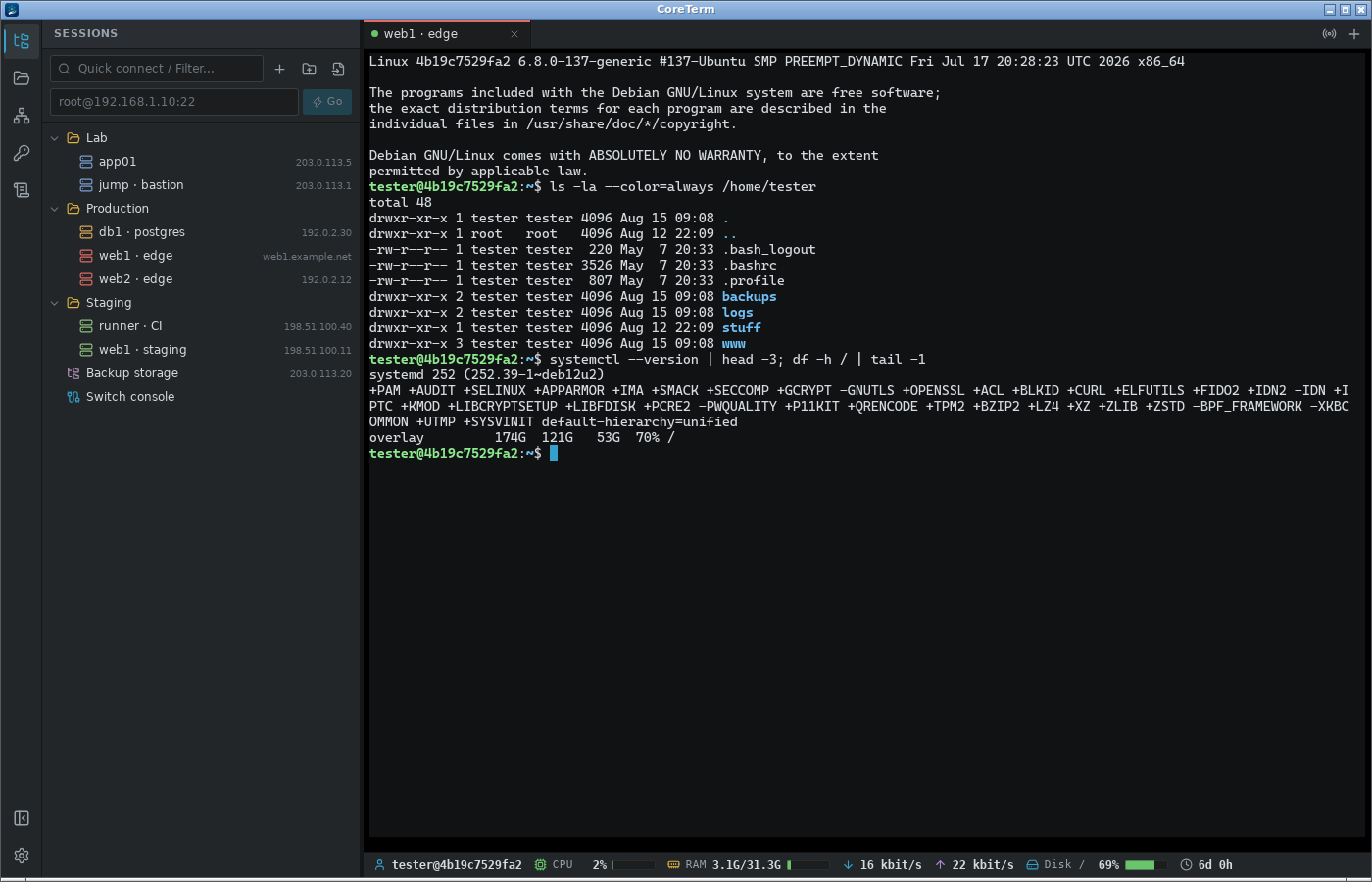
Sessions in an encrypted vault
Hosts, keys and passwords live in one file encrypted with AES-256-GCM behind an Argon2id-derived key. Nothing is written in the clear, and the master password never leaves the machine.
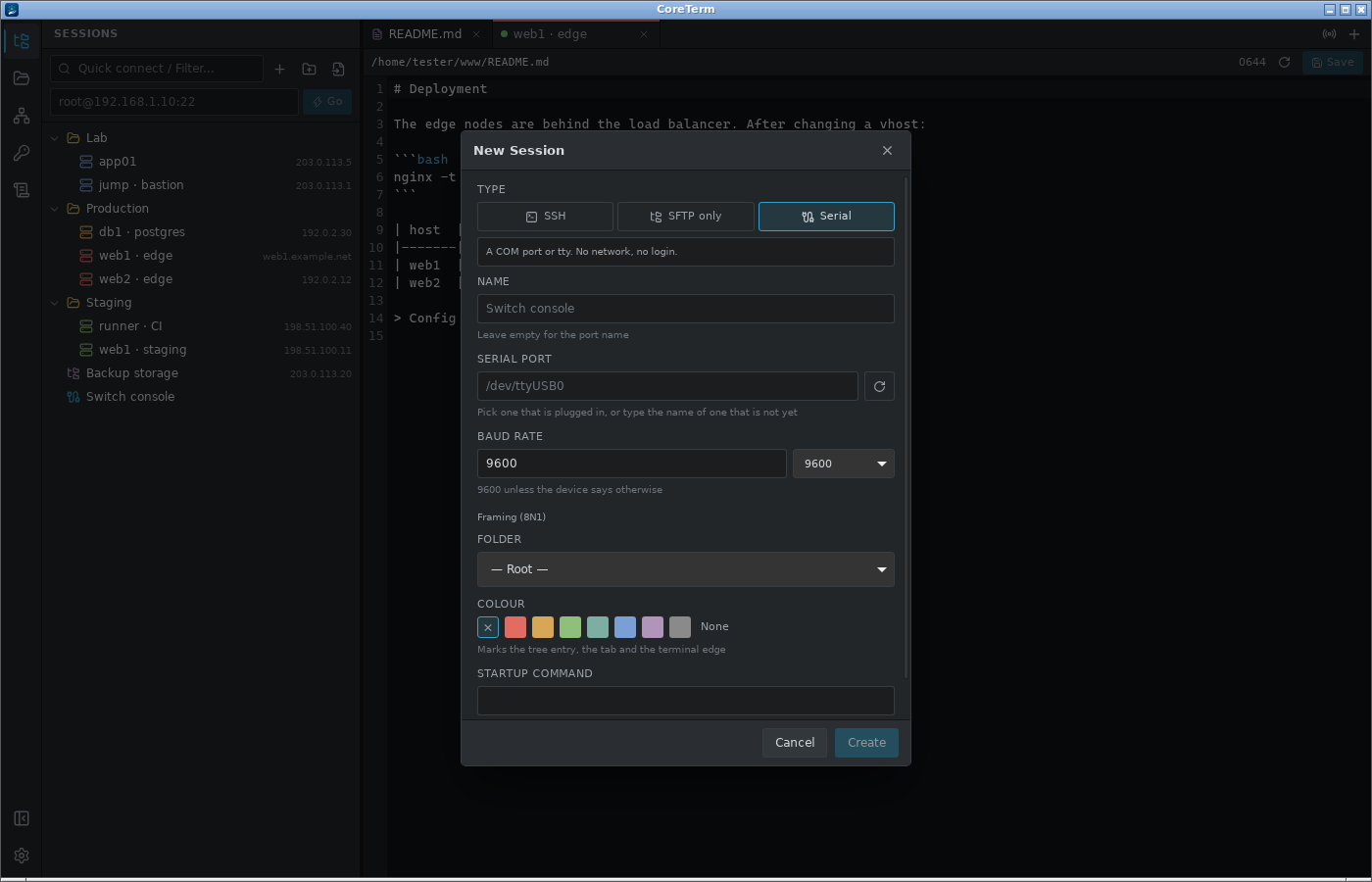
SSH, SFTP and serial
A session is a shell, a file browser, or a COM port. SFTP-only opens no terminal at all, for accounts that are not allowed one; serial takes a port and a baud rate and gives you the same terminal.
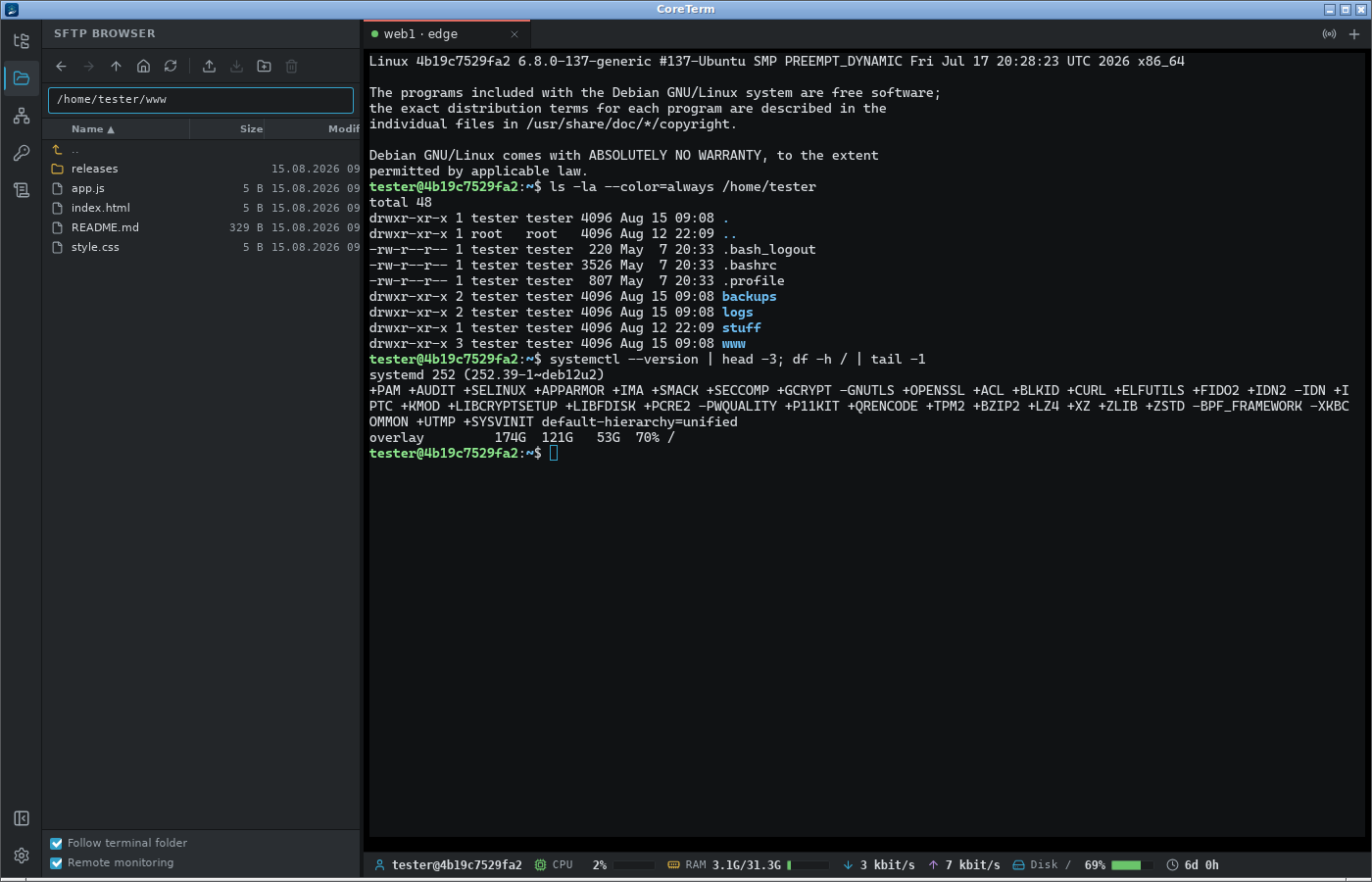
Terminal and files, side by side
The file browser follows the shell's working directory. Drag files in or out, edit them in place, and watch transfers with real progress — including what was skipped and why.
Port forwarding
Local, remote and dynamic (SOCKS5), tied to the session they belong to and started with it if you want. A worked example of each direction is in the app.
Jump hosts
A ProxyJump chain of any length, each hop with its own key if it needs one. A changed host key anywhere along it is reported for the machine that actually presented it.
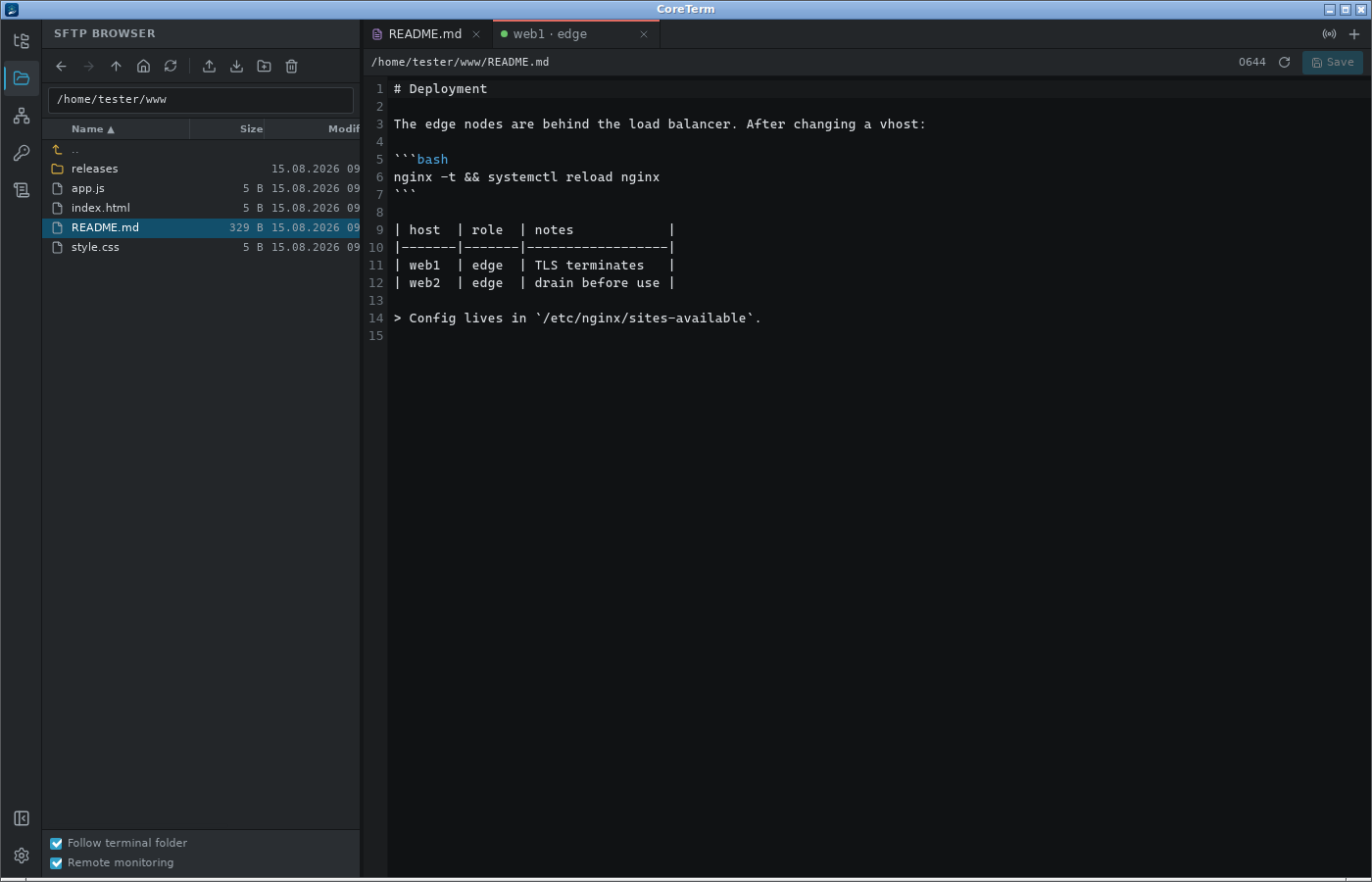
Built-in editor
Open a remote file, change it, save it back — no download, no re-upload. Syntax highlighting for around thirty languages, and the permissions are restored after writing.
One command, several hosts
Pick the sessions and type once. Useful for the things that have to be done identically everywhere and are otherwise done four times with one typo.
Synchronised between machines
The vault syncs over SFTP, WebDAV or S3 — end-to-end encrypted, so the server stores a blob it cannot read. Merges by default; forced push and pull are there when merging is not what you want.
Signed updates
Every package is signed and the public key is compiled into the application, so a compromised update server cannot hand out a version of its own. Package-manager installs update the normal way.
A look at it
Downloads
One package per system — take the one that matches how you install things.
Installed through pacman, apt or dnf? Nothing to do. Those repositories are signed with a different key, which did not change.
Windows
| CoreTerm_0.20.1_x64-setup.exe
The usual choice. Updates itself from then on. |
8.8 MB |
Linux
| CoreTerm_0.20.1_amd64.AppImage
Runs on any distribution without installing. Updates itself. |
87.6 MB |
| CoreTerm_0.20.1_amd64.deb
Debian, Ubuntu, Mint |
13.4 MB |
| CoreTerm-0.20.1-1.x86_64.rpm
Fedora, RHEL, openSUSE |
13.4 MB |
| coreterm-0.20.1-1-x86_64.pkg.tar.zst
Arch, CachyOS, Manjaro — <code>pacman -U</code> |
17.4 MB |
Package repositories
Register the repository once and CoreTerm comes along with every ordinary system update, without the application having to be running. These are also the installs the built-in updater deliberately does not touch — see the note below.
Arch, CachyOS, Manjaro (pacman)
# Fetch the key and sign it locally
curl -fsSL https://ssh-client.coreserv.de/arch/coreterm-key.asc | sudo pacman-key --add -
sudo pacman-key --lsign-key 5E7E8AEC04DDBEBFF626B363B8BD7C093054D755

# Add to /etc/pacman.conf
[coreterm]
Server = https://ssh-client.coreserv.de/arch/$arch

sudo pacman -Sy coreterm
Debian, Ubuntu, Mint (apt)
curl -fsSL https://ssh-client.coreserv.de/coreterm-key.asc \
  | sudo gpg --dearmor -o /usr/share/keyrings/coreterm.gpg

echo "deb [arch=amd64 signed-by=/usr/share/keyrings/coreterm.gpg] \
  https://ssh-client.coreserv.de/deb stable main" \
  | sudo tee /etc/apt/sources.list.d/coreterm.list

sudo apt update && sudo apt install core-term
Fedora, Nobara, RHEL, openSUSE (dnf, zypper)
sudo tee /etc/yum.repos.d/coreterm.repo <<'EOF'
[coreterm]
name=CoreTerm
baseurl=https://ssh-client.coreserv.de/rpm/$basearch
enabled=1
gpgcheck=1
repo_gpgcheck=1
gpgkey=https://ssh-client.coreserv.de/coreterm-key.asc
EOF

sudo dnf install core-term
Nobara is Fedora-based and needs
nothing of its own. The package is called core-term on deb
and rpm and coreterm on Arch; both declare
Provides: coreterm.
New in 0.20.1
- Tabs could not be closed once the tab strip overflowed: its scrollbar sat directly over the close buttons. The scrollbar is gone — an arrow appears at either end while there are tabs beyond it, the mouse wheel scrolls the strip sideways, and the active tab is always brought into view
Verifying what you downloaded
Also as a file: SHA256SUMS. The packages in the apt and rpm repositories are signed with GPG and checked by the package manager; the installer and AppImage carry a signature the application itself verifies before installing anything.
7be5f7e74a9603c5a72d24c85dc8e6bd36b136123a446100c793712b8a43bdbd  CoreTerm_0.20.1_x64-setup.exe
fa3752a64e23154a8ac96e4b15c00230dccf80de7c544b916ab9f8feb0b06874  CoreTerm_0.20.1_amd64.AppImage
afeabe52aa661502368b4f7ba652e0d073395194972a8d9557073c925ce9972e  CoreTerm_0.20.1_amd64.deb
f721131ab1d7a79cd38c8dc0c77628c6bc10bc6c76738e7665b23904f4629ad5  CoreTerm-0.20.1-1.x86_64.rpm
0563840ee42ed3935cf7c53c5d3f9e81b17d018abb74ba9ee2b78eb0a4159f1f  coreterm-0.20.1-1-x86_64.pkg.tar.zst